 Kaidan


Here comes Kaidan 0.17.0! This release allows to report spam and retract messages. In addition, it automatically reconnects based on your internet connection. As always, it includes several smaller improvements and fixes.
Most of the work has been funded by NLnet via NGI Zero Commons Fund with public money provided by the European Commission.
Spam Reports
Spam and abusive messages can be reported now. You can either report the sender or specific messages. The sender is automatically blocked in either case. The spam or abuse is reported to your XMPP provider. Your XMPP Provider is allowed to forward the report to the sender’s XMPP provider or external services such as blocklist providers.
That way, a community-based spam protection can evolve. You flag spam for other people and their reports protect you from receiving spam.
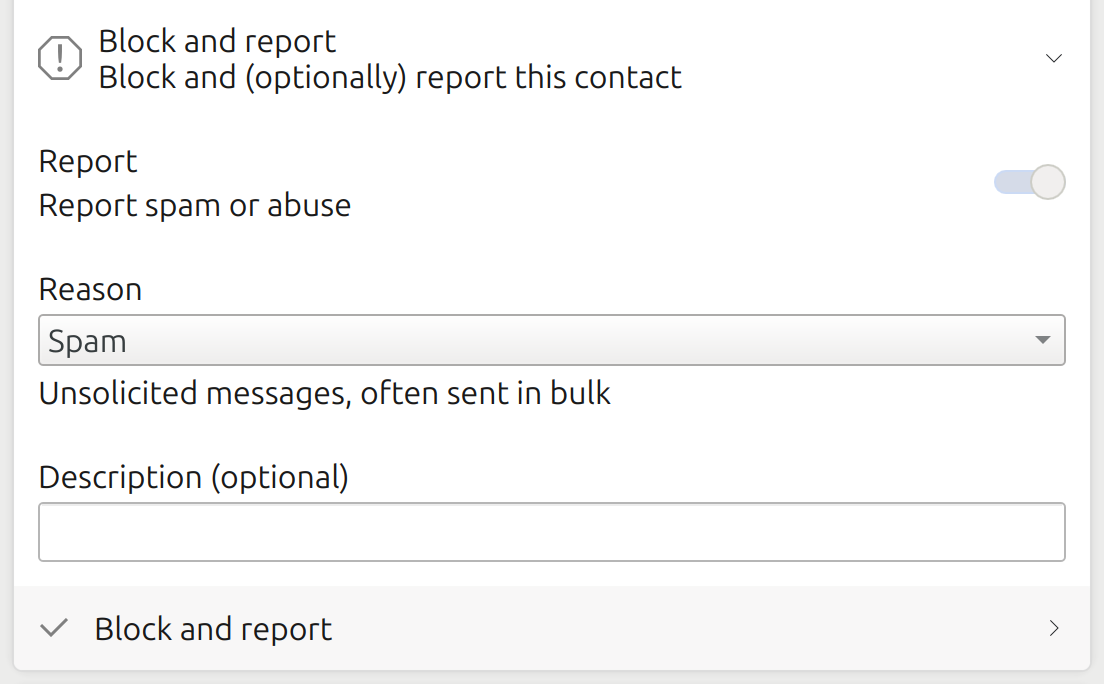
To report a sender of spam or abusive messages, you can do that via the details dialog.
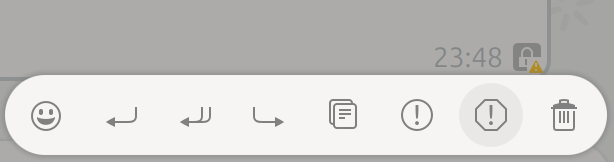
To report a specific message, there is a context menu entry for it.
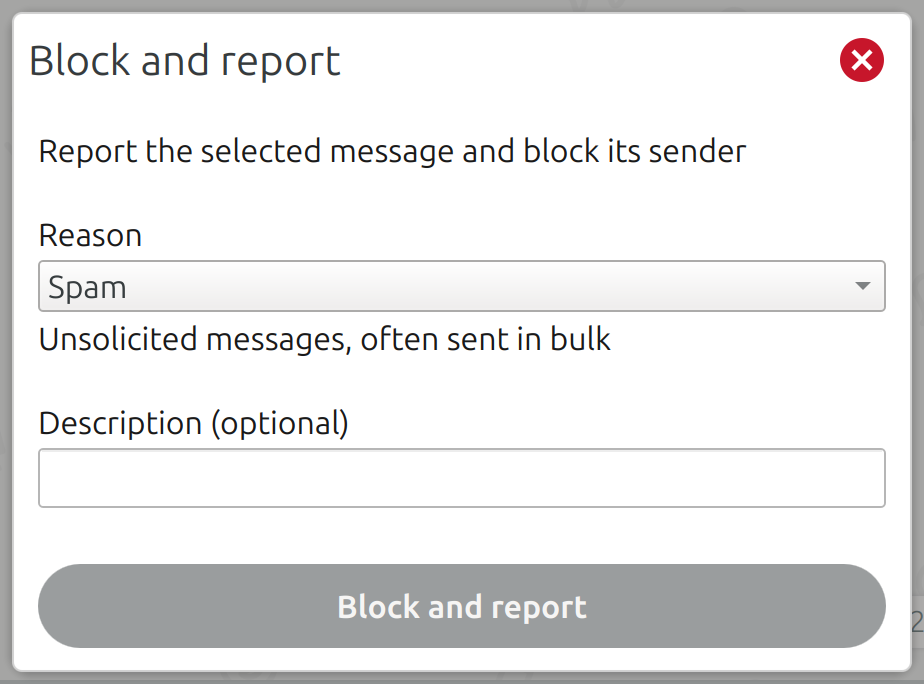
Once you pressed the context menu entry, a dialog is opened to send the report.
Message Retraction
Since Kaidan 0.10 it is capable of removing messages locally (i.e., from your device). It is now also able to retract own messages resulting in removing them globally (i.e., from your device and all devices that received it).
You can even retract a message while not being connected. Kaidan retracts the message automatically once you are connected again. To keep it simple, removing a message globally is the default and performed via the context menu entry Remove. If that is not possible, e.g., because the message is too old, it can still be removed locally via the context menu entry Remove from Kaidan.
Note: If you retract a message, Kaidan instructs all of your and your contacts’ devices to remove that message too. A device receiving such a request can deny or simply not support it. Thus, it is possible that a message you retracted is not removed from all devices that received the request.
Automatic Reconnecting
In Kaidan, you can enable or disable accounts. If an account is disabled, it stays offline. If it is enabled, it automatically tries to connect to your XMPP provider. In case of connection problems, Kaidan displays an error message. But it was not able to automatically try to reconnect after recovering from them.
The user had to manually disable and enable the account again. Kaidan is now able to detect the connection’s status and reconnect on its own once the connection is reestablished. You do not need to take care of being connected anymore. Instead, you can focus on chatting! In combination with Kaidan’s support for composing messages while being offline, messages are sent in the background as soon as you are connected again.
Changelog
There are several other improvements. Have a look at the following changelog for more details.
Features:
- Go back to chat list to forward message and keep it open on narrow window (@melvo)
- Add efficient retrieval of latest chat list from server (@lnj)
- Add support for reporting spam/abusive senders/messages (XEP-0377: Blocking Command Reports) (@lnj, @melvo)
- Mark button for filtering chats while filtering is active (@melvo)
- Add support for retracting messages (XEP-0424: Message Retraction) (@lnj, @melvo)
- Automatically reconnect to server based on network changes (@lnj)
- Clear all ongoing actions of the message input field on pressing Escape button (@melvo)
- Ensure that current default input device is always used for recording (@melvo, @lnj)
- Hide button for recording voice messages if no input device is available (@melvo)
- Inform user about problems with voice message recording (@melvo)
- Delete recorded temporary file on error occurring while recording (@lnj)
Bugfixes:
- Fix opening chat with existing contact on attempt to add that contact (@melvo)
- Fix focusing message input field after opening chat or pressing on opened chat again (@melvo)
- Fix hiding password if corresponding setting is enabled (@melvo)
- Fix displaying duplicated blocked chat addresses (@lnj)
- Fix duplicated notifications for blocking/unblocking chat addresses (@lnj)
- Fix reactions to own messages (@lnj)
- Fix encrypting non-pending read markers (@melvo)
- Fix showing hints for invalid field input (@melvo)
- Fix wrapping long date sections in chat (@melvo)
- Fix only removing message reactions of removed chat instead of reactions of all chats of account (@lnj)
- Fix sending pending data on reconnection to servers without media sharing support (@lnj)
- Fix cut off details in media viewer (@melvo)
- Fix playing after positioning slider while media is paused in media viewer (@melvo)
- Fix resetting draft message on switching chats (@melvo)
- Fix width of voice messages (@melvo)
- Fix thumbnail generation with faulty plugin (@melvo)
- Fix size of media overview’s tab bar items (@melvo)
- Fix thumbnails flickering in media overview while window is resized (@melvo)
- Fix encryption initialization for groups and disabled accounts (@melvo)
- Fix changing encryption of notes chats (@melvo)
- Fix displaying account name initials for notes chats (@melvo)
- Fix hanging account migration (@lnj)
- Fix replacing XMPP URI with its chat address for contact addition and group joining (@lnj, @melvo)
Notes:
- Kaidan requires QXmpp 1.17.1 now
Download
- Source code (.tar.xz) (sig signed with 04EFAD0F7A4D9724)
- Linux (Flatpak on Flathub)
Or install Kaidan for your distribution:

 KDE