 Kaidan

Kaidan 0.16.0 is out now! This release adds a media viewer, improves the emoji picker, and got a button to try another XMPP provider during registration. In addition, it adds support to record voice messages via long press. As always, it includes several smaller improvements and fixes.
Most of the work has been funded by NLnet via NGI Zero Commons Fund with public money provided by the European Commission.
Media Viewer
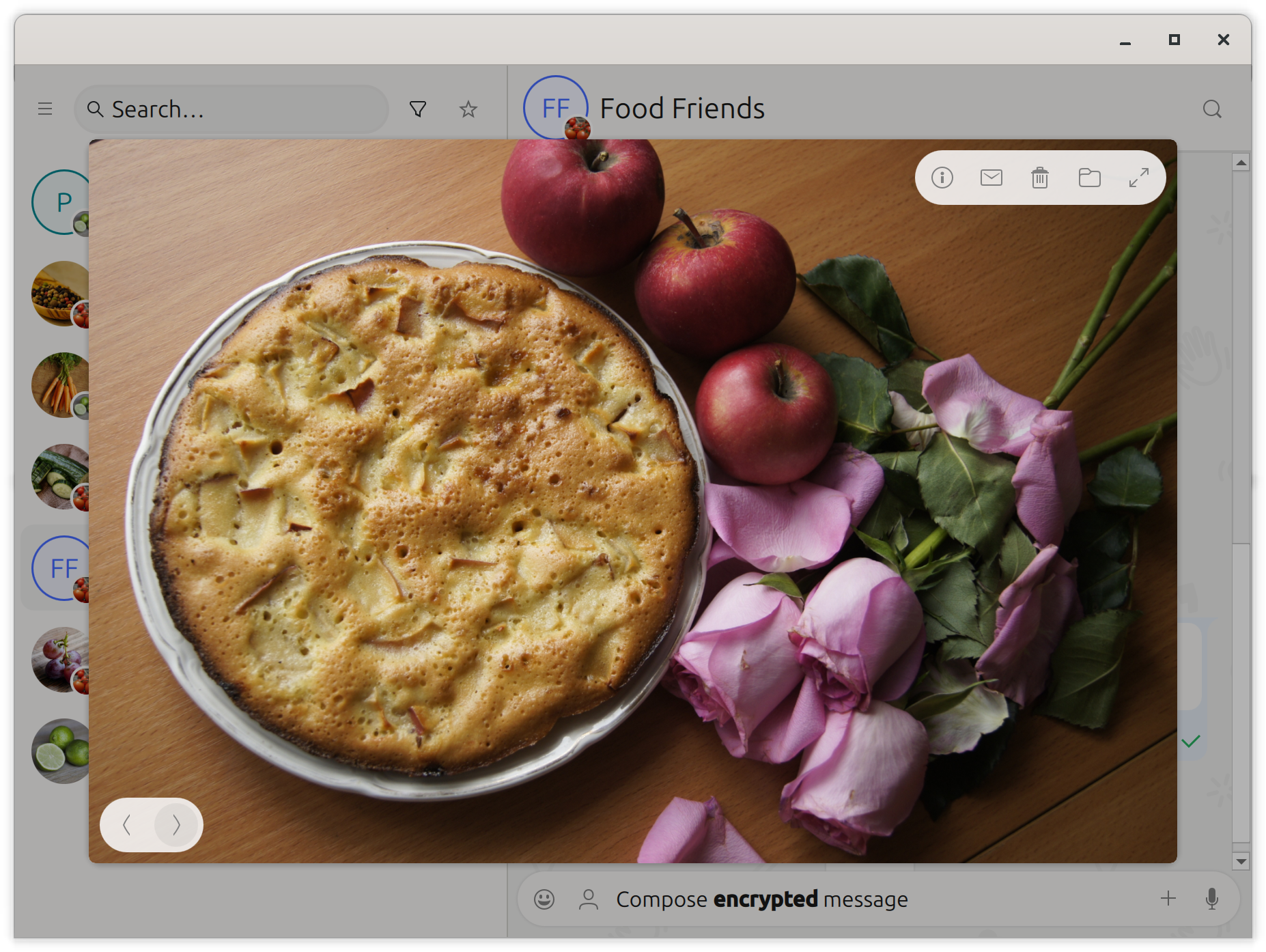
Kaidan now opens a media viewer when you press an image, video, or audio file. That viewer allows to browse all media within a chat in chronological order. You will not need to scroll through the whole chat history anymore just to find a specific file.
The viewer displays information that only Kaidan is aware of, such as the description or the corresponding message’s body. Furthermore, you can jump to the message, open the containing folder, or delete the file. Music and videos can be directly played without opening them in an external app.
Voice Messages
If you often send voice messages, you will enjoy the new voice message enhancement. With this new version, Kaidan makes it much easier for you to record and send a voice message.
Instead of pressing a button to start recording and pressing another button once you are finished, you can now simply press and hold the record button. As soon as you release the button, the voice message is sent. You can cancel the recording by swiping to the left.
Of course, the regular behavior is still available. You can always decide when to use which way to record your voice messages. Just start a regular recording with a normal press or the new one with a long press.

Emoji Picker
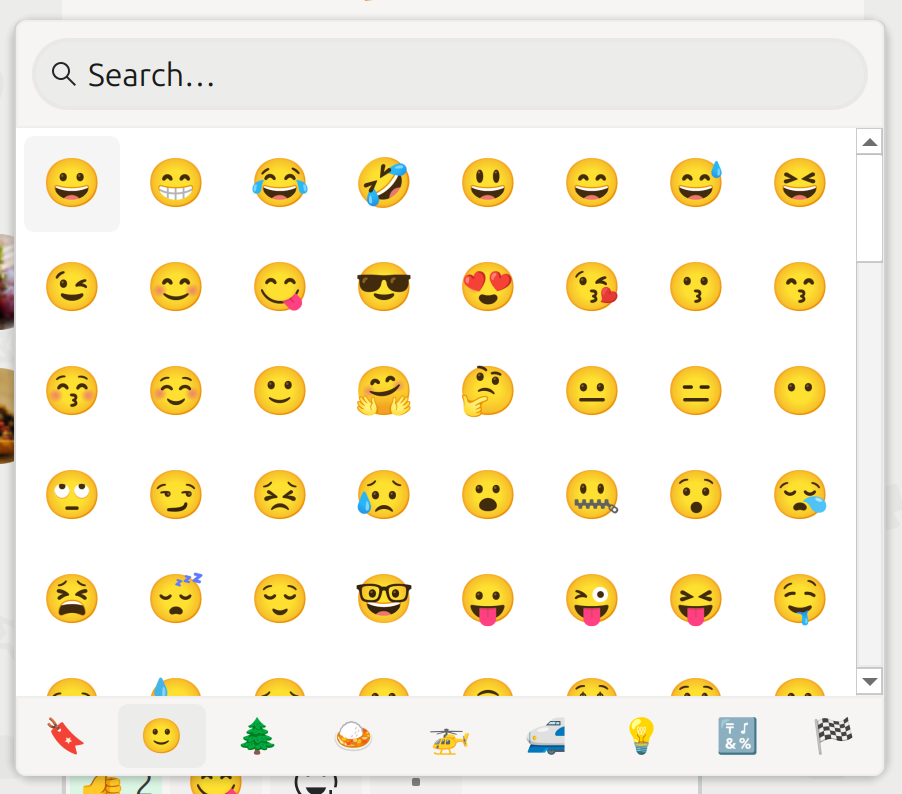
The improved emoji picker matches the look of the remaining app. It opens at the current cursor position while composing a message to quickly choose an emoji. You also can navigate through the emoji picker via keyboard and search emojis.
Automatic Registration
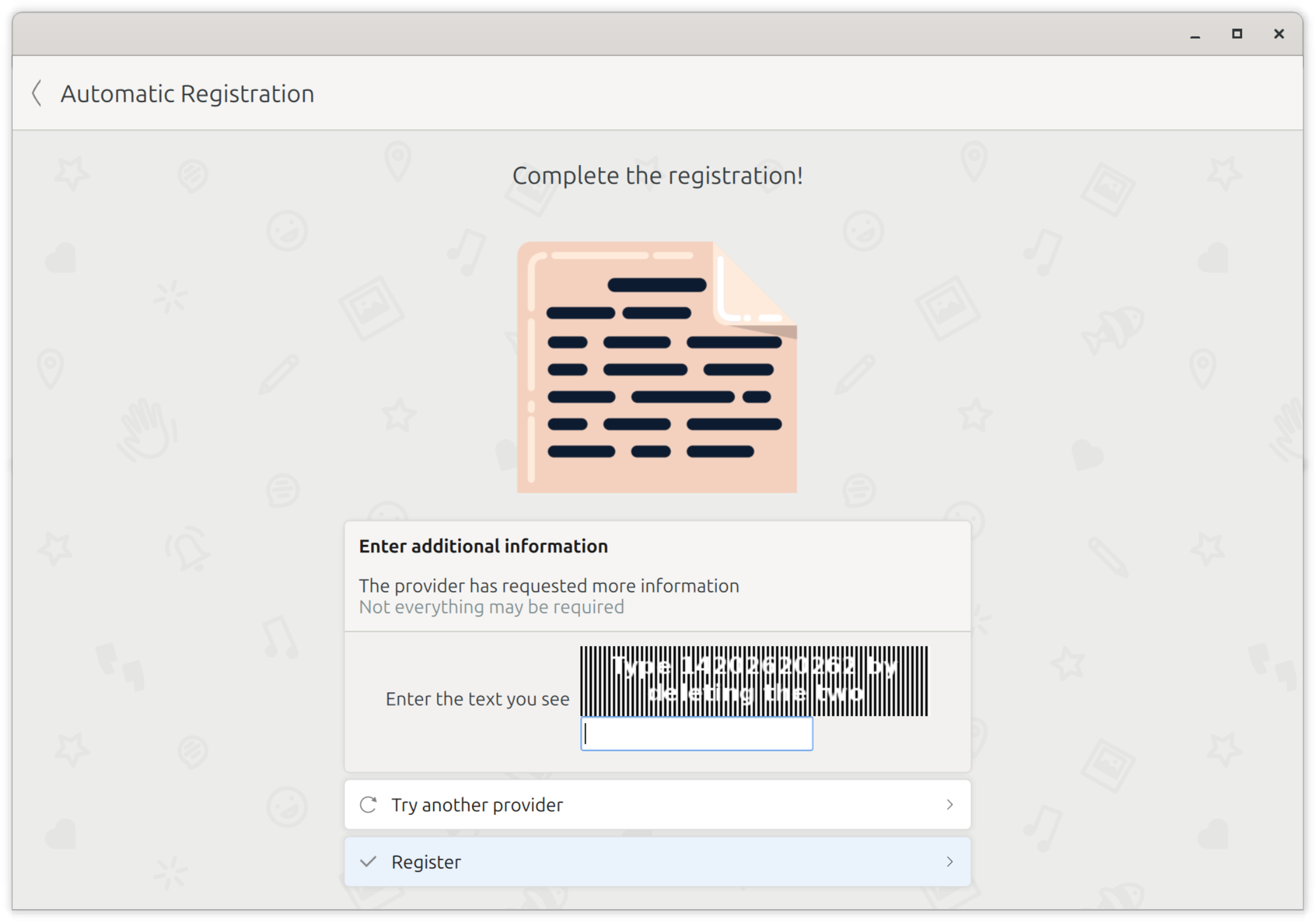
If you opt for creating an account automatically, a suitable XMPP provider is chosen depending on your system’s settings. But it can happen that the automatically chosen provider requires an unsolvable CAPTCHA or information you do not want to hand over, such as an email address.
Formerly, you needed to go back and open the automatic registration again to request an account from a different provider. Since that took some time, there is now a button to directly try another XMPP provider.
Changelog
There are several other improvements. Have a look at the following changelog for more details.
Features:
- Add button to try another XMPP provider during automatic registration (@melvo)
- Display avatars in notifications (@pehg, @melvo)
- Allow to reply to message via its notification on supported systems (@pehg)
- Handle pressing Down/Escape button in chats (@melvo)
- Apply new look to emoji picker with consistent interactive background (@melvo)
- Add search field for emojis as message reactions (@melvo)
- Open emoji/participant picker at cursor position while ensuring picker’s width fits best (@melvo)
- Allow to navigate through emoji picker via keyboard to select emoji (@melvo)
- Play notification sounds (@pehg)
- Show more tooltips (@melvo)
- Add viewer for opening/browsing media within a chat (@fazevedo)
- Add support to record voice messages via long press (@melvo)
- Rework user interface for consistent and smoother look/behavior including buttons, fields, and fading opacity of icons (@melvo)
- Focus message input field on starting/canceling reply (@melvo)
- Allow to zoom via mouse wheel in location map and move map by dragging (@melvo)
- Allow to share selected location via Return button (@melvo)
Bugfixes:
- Ignore incoming call requests from other own devices (@melvo)
- Fix recognizing video calls (@melvo)
- Hide contact name/avatar and adapt stop button’s background if video playback is active in calls (@melvo)
- Maintain last focused user interface elements in various uses cases (@melvo)
- Fix quitting calls (@melvo)
- Fix highlighting contact invitation hint in groups (@melvo)
- Fix wrong highlighting on opening group participant picker in some cases and ensure that highlighted item is not changed as long as count does not change (@melvo)
- Fix opening chat in all cases (@melvo)
- Fix displaying full sender names of message reactions (@melvo)
- Ensure account avatar’s background color is updated if system colors change (e.g., on switching between light/dark mode) (@melvo)
- Fix position of chat name/date in chat list (@melvo)
- Fix showing multiple notifications for media (@melvo)
- Fix saving new draft after sending draft (@melvo)
- Fix highlighting referenced message after loading from database (@fazevedo)
- Fix behavior of toggle buttons on release after long press (@melvo)
- Ensure icons in media viewer and message context menu are always sharp (@melvo)
- Fix displaying notifications for personal data (e.g., availability and device info) sharing requests even if no chat is open (@melvo)
- Update chat list filtering on availability changes of contacts (@melvo)
- Fix sound behavior for subsequent messages (@melvo)
- Fix message input field overlapping messages if its height increases (@melvo)
- Keep zoom level within bounds while zooming in location map (@melvo)
- Fix displaying avatar after canceling selection (@melvo)
- Fix location displaying/sharing including proper location markers (@melvo)
- Allow entering credentials to log in (@fazevedo)
- Fix displaying marked message area (@melvo)
Notes:
- Kaidan requires KItemModels now
- Kaidan requires Qt 6.9 now
- Kaidan requires QXmpp 1.16 now
Download
- Source code (.tar.xz) (sig signed with 04EFAD0F7A4D9724)
- Linux (Flatpak on Flathub)
Or install Kaidan for your distribution:

 KDE
KDE